 Retro
RetroFeatures and settings
The main features, and what the performance settings do.
Free and premium
Playing, in-game saves, save states, cheats, controllers, on-screen buttons and screen orientation are all free. These are premium features:
- Fast forward: 1.5x, 2x and 4x (0.5x and 1x are free)
- Rewind: hold the rewind button to step the game back
- Turbo: hold a button to press it repeatedly, at a speed you choose
- Filters: LCD, scanlines, color correction, xBRZ, HQ4x, ScaleFX, FSR and more
- Memory search: find values yourself and make cheats
To unlock them, watch one ad and use them for the next hour. If ads can't load (no connection, for example), they unlock for free once a day so you're never stuck.
On the home screen there is a banner at the bottom and a few ads in the game list. When you start a game while premium features are locked, a short ad plays after a few seconds to unlock them; you can skip it. Ads never interrupt gameplay.
Display
- Filters: switch them from the game menu, per game.
- LCD ghosting: emulates the slow response of the original screen. Some games flicker sprites every other frame to fake transparency; this makes them look right.
- Fast rendering: renders the screen one scanline at a time instead of pixel by pixel. Much faster, identical picture. On by default.
- Multithreaded rendering: runs emulation and rendering in parallel on two CPU cores. Requires Fast rendering.
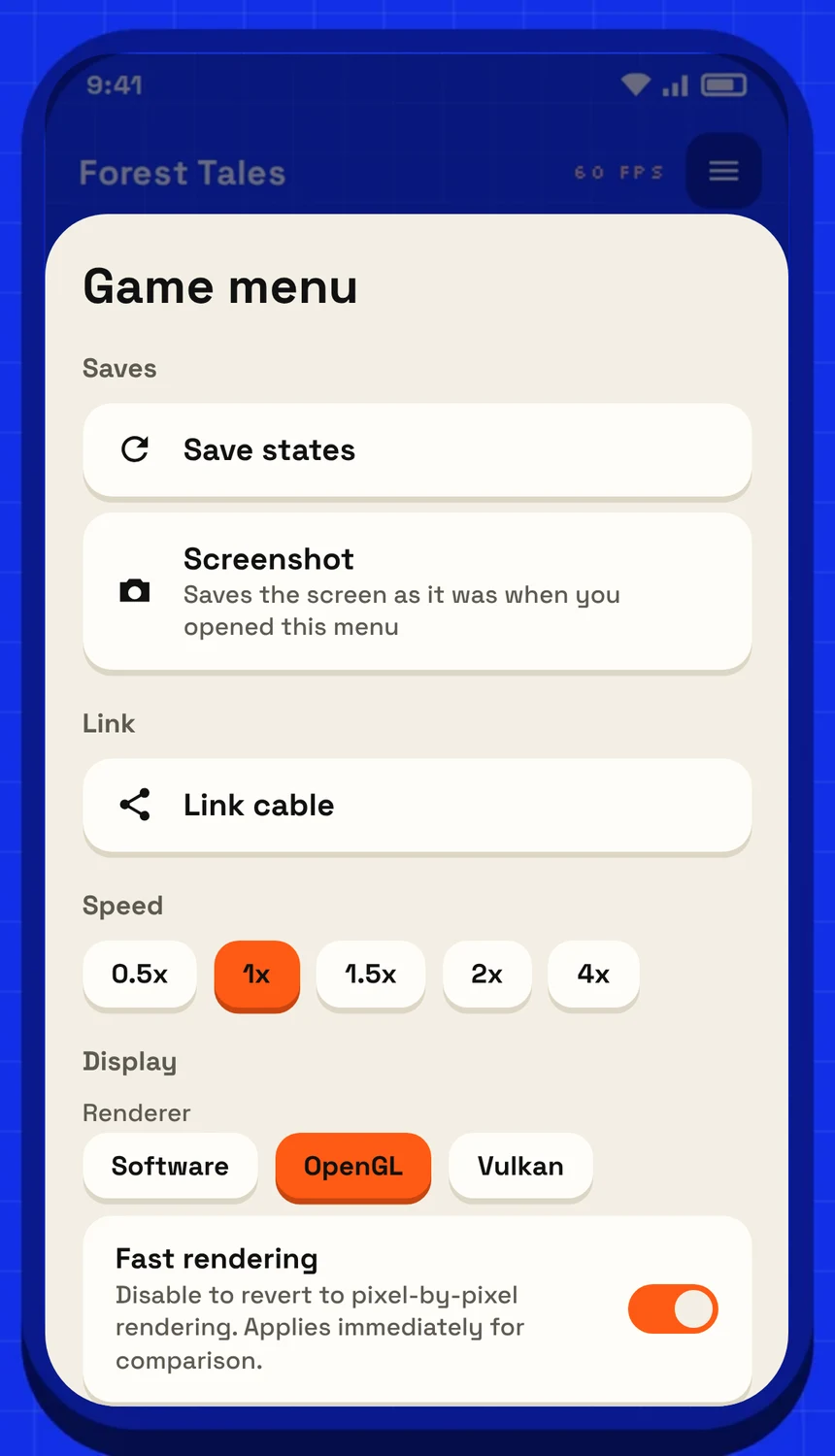
The game menu: speed, renderer and the performance switches can be changed without leaving the game.
Performance and battery
- Continuous CPU execution: skips checks between instructions when nothing is happening. Faster and lighter on the battery, with exactly the same results. Off automatically while linked.
- Power saving: avoids redrawing identical frames and similar savings, so the phone runs cooler. Can be set per game.
You can switch these from the game menu's display section without leaving the game. If anything looks or runs oddly, turn these switches off first.
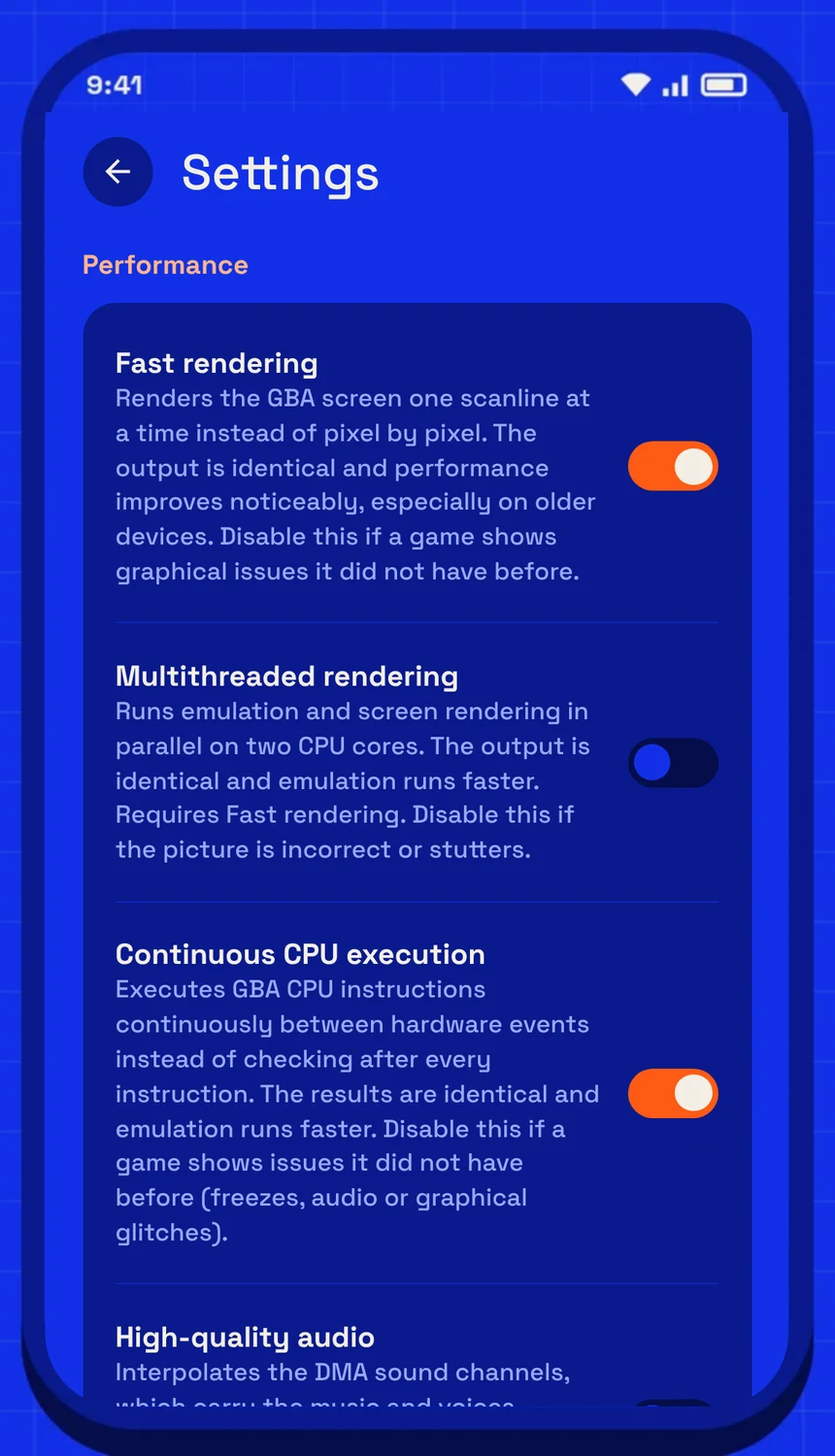
Settings › Performance.
Sound
- High-quality audio: finer resampling, cleaner in headphones.
- Handheld speaker sound: mono, with the lows and highs trimmed like the built-in speaker, for that original sound.
Controllers and cartridge extras
- Gamepad & keyboard buttons: rebind anything; one GBA button can have several keys.
- Cartridge rumble: games with a rumble cartridge (like Pokémon Pinball: Ruby & Sapphire) vibrate the phone or controller.
Save states and rewind
Every save state slot has a thumbnail, and you can undo a load. Rewind needs some memory; if there isn't enough, the app tells you it couldn't turn on.
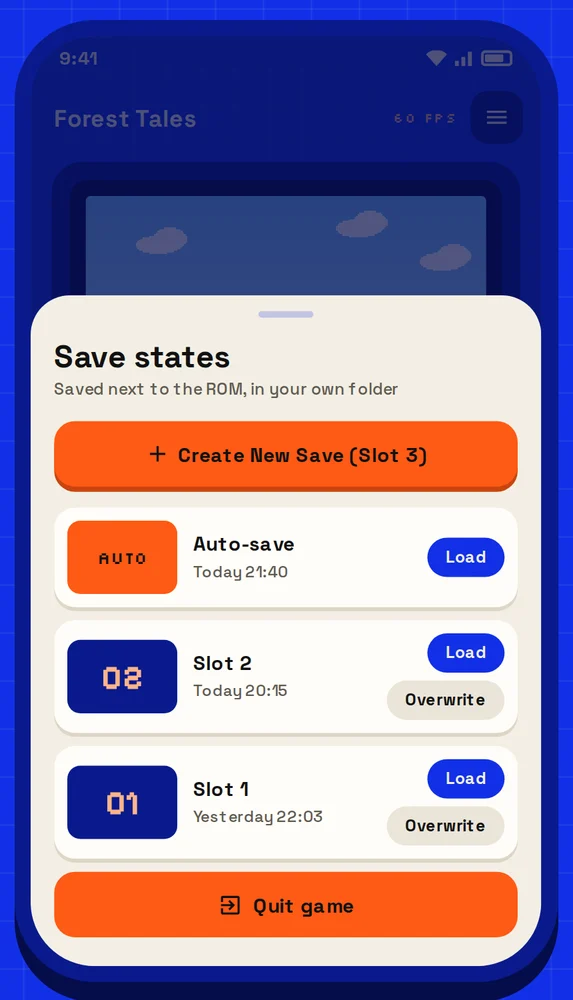
The save state menu: a new slot, the auto-save and your earlier slots.