 Retro
RetroCheats
The built-in cheat library works out of the box. You can also paste codes you found elsewhere, or write your own.
Built-in cheat library
The library covers more than 1,700 games with over 9,000 cheats. Open the cheat panel in a game, and the app finds that game's cheats by the game code on the cartridge. Tap Add on one and it takes effect.
With the app in English, cheat names are shown in English.
Different versions of the same game (1.0 and 1.1, for example) sometimes use different addresses, so a library code may not work on every version. If one doesn't, try a code for another version or find your own.
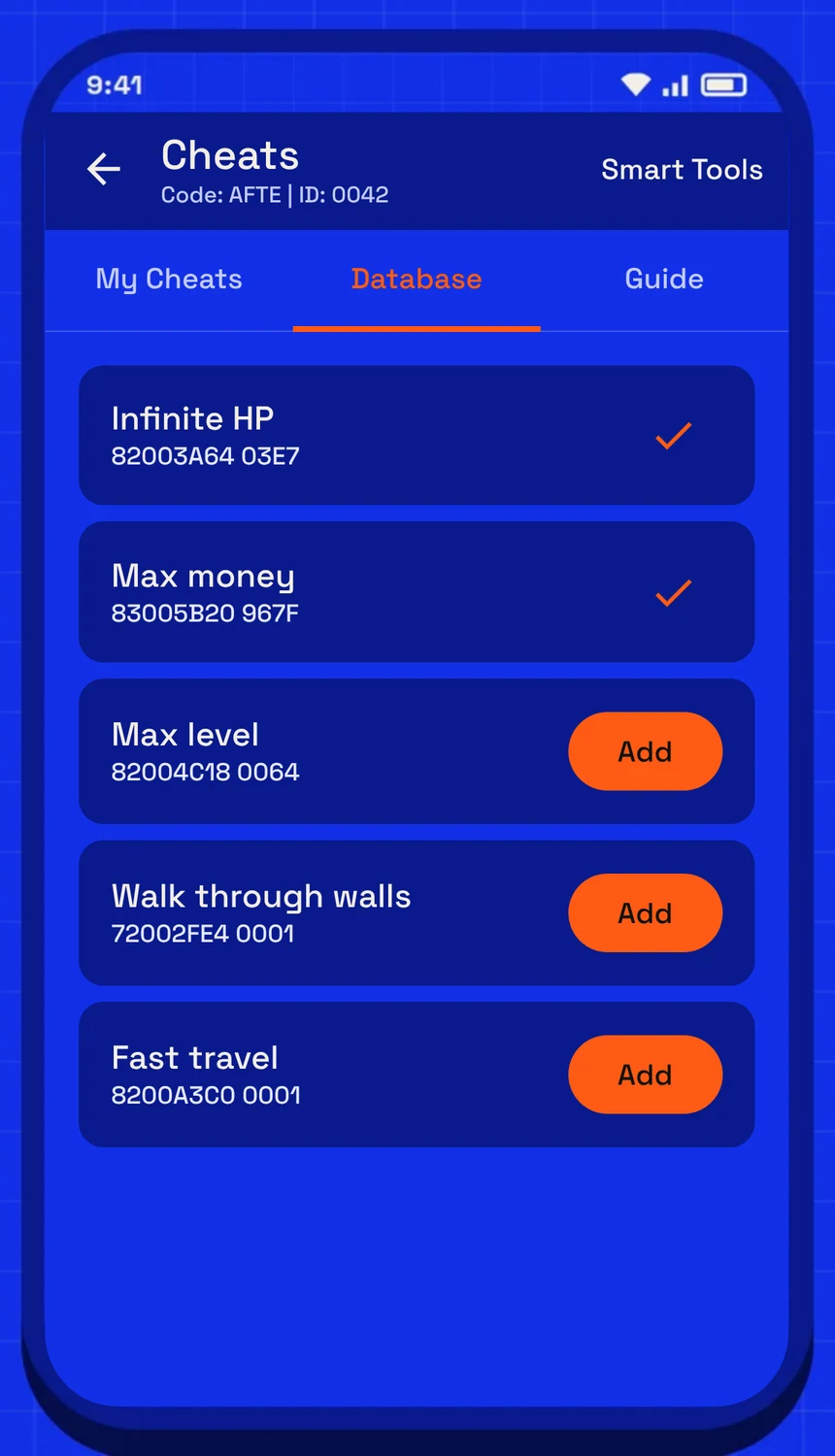
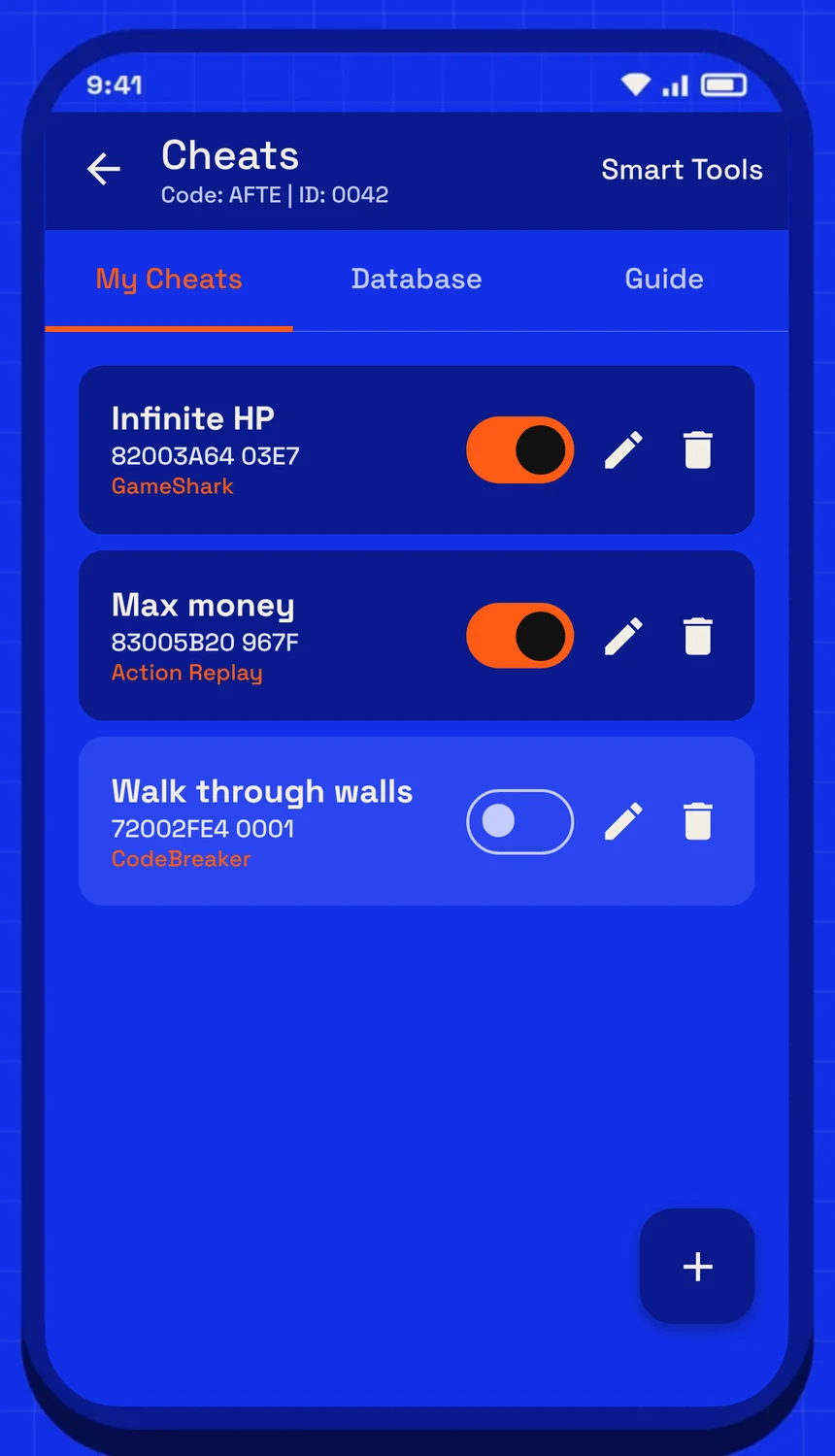
Left: "Database" lists the cheats for this game; tap Add. Right: "My Cheats", where each cheat has its own switch. Tap + to paste a code.
Pasting cheats
Paste a code into the cheat panel. The format is detected automatically, and once enabled the code is applied every frame. Supported:
- GameShark / Action Replay
- CodeBreaker
- Raw memory writes (VBA Raw and similar)
- RetroGenY extended codes (see below)
Use # or ! for comments and [section] headings to group lines. Lines the app can't read are reported instead of silently ignored.
RetroGenY extended codes
Our own cheat format follows pointers, loops, checks conditions and reacts to buttons, so it works where ordinary codes break: data that moves with every save, encrypted money, whole bags. The editor checks it as you type, explains any code in plain language and has templates to start from. Everything about extended codes.
Make your own with memory tools
Can't find the cheat you want? Search the game's memory in a floating window, lock the value, and let a watchpoint turn it into a cheat that survives a new save. You can even change what the game does, or force every random roll to go your way. Everything about memory tools.
While linked
All cheats pause while you're linked, and cheats that patch the game are undone first, so both games stay in sync. They come back when you unplug.